


Current step
Make the ball bounce
Change the ball’s direction when it touches the edge.
ContinueNo coding experience required to start. Guided projects, challenges, an AI assistant the teacher configures, and a parent dashboard. Your child progresses at their own pace.
Bonjour, Raphaël.
Tu as fini 3 quêtes. Encore 2 avant ton diplôme.

Tape le Boss
Étape 4 sur 5 · Faire rebondir la balle sur le boss
 Flappy BirdScratch
 EnvahisseursPython
 Striker '26WebTape le Boss4/5 étapes
 Rocket ArenaWeb
 Clan ClashGodot
Before creating, you had to install and connect several tools. Codaquest brings the workspace, projects and progress tracking together.
A database to store scores and game state
So players keep their scores, collected items, and progress.
Built-in
A database to store scores and game state
So players keep their scores, collected items, and progress.
An AI assistant you can rein in
To help when they get stuck, without doing the work for them.
Built-in
An AI assistant you can rein in
To help when they get stuck, without doing the work for them.
A tool to save the versions of their project
To roll back when something breaks.
Built-in
A tool to save the versions of their project
To roll back when something breaks.
An editor to write the code in
Where you type the instructions the computer will follow.
Built-in
An editor to write the code in
Where you type the instructions the computer will follow.
A way to put their project on the internet
So they can share it with family and friends.
Built-in
A way to put their project on the internet
So they can share it with family and friends.
Software and extensions to install on the computer
Every tool needs its own add-ons to run properly.
Built-in
Software and extensions to install on the computer
Every tool needs its own add-ons to run properly.
A powerful computer required
School Chromebook, old PC, iPad: some kids simply couldn’t take part.
No need
A powerful computer required
School Chromebook, old PC, iPad: some kids simply couldn’t take part.
The platform extends a school that began as WeAreCoders in Brussels in 2017.
600+
children taught
10,000+
projects built
5 / 5
average rating
55
Google reviews
Each project moves forward in small steps. The platform remembers exactly where your child stopped and shows the next action.
Each child has their own dashboard: projects in progress, badges, upcoming challenges, friends online. Clear, visual, no ads, no tricks designed to keep them hooked longer.

Mes projets
11 projets · Raphaël, 9 ans Web
Web Web
Web Python
 Web
Web Python
 Web
WebA separate parent dashboard: your child’s projects, attendance, what the teacher observed, upcoming deadlines. No need to ask the child or the teacher.
Bonjour, Sarah.
Voici où en sont vos enfants.
8 dernières semaines

Mardi, 17h00



Cette semaine
« Raphaël a fini son jeu tout seul cette semaine. Beaux progrès sur les boucles. »
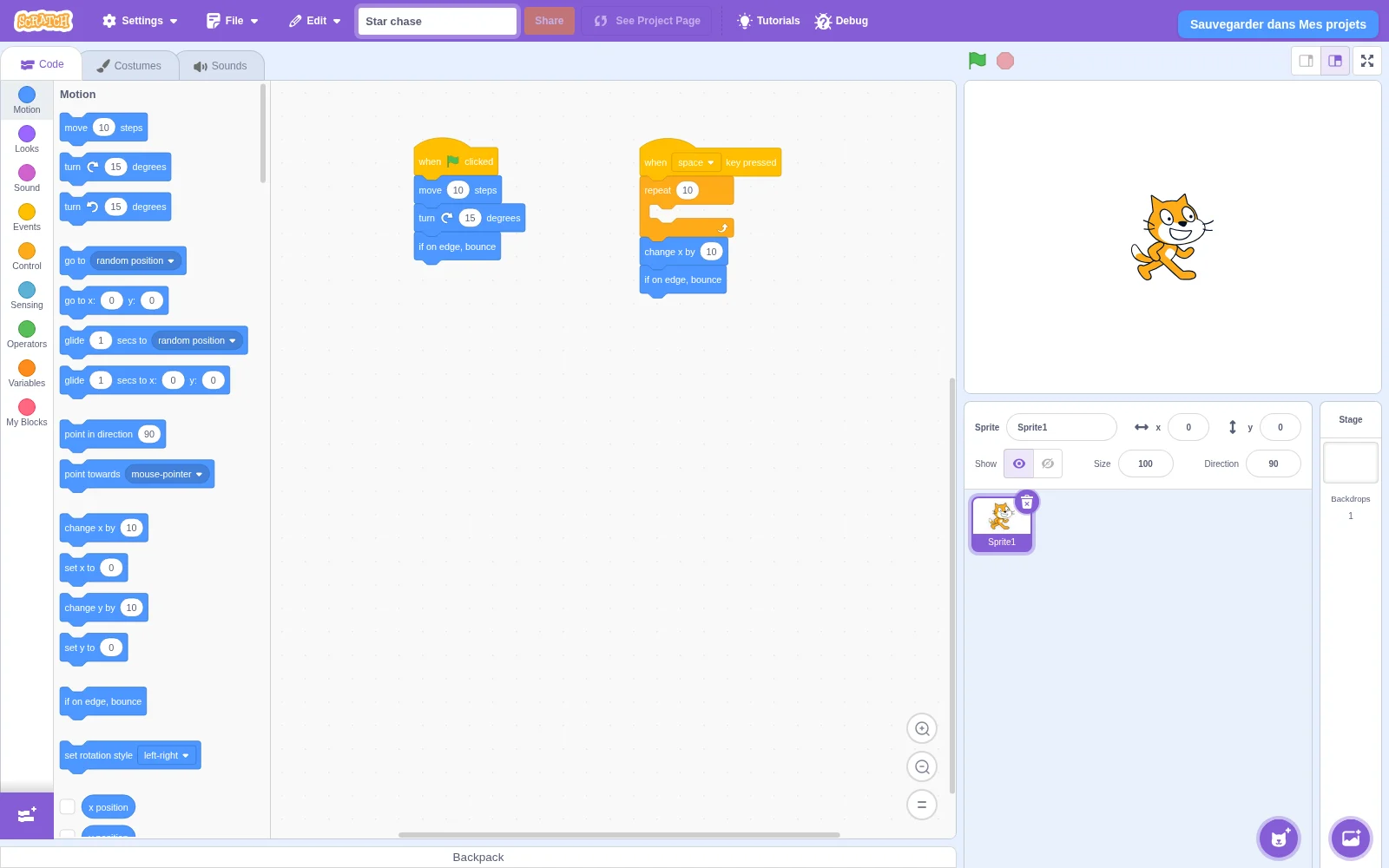
A visual language made of colourful blocks to snap together. Kids build animations and small games without typing a line of code.
A chat room moderated by the team, multiplayer built into projects, challenge leaderboards. Your child meets other children who love the same things.
Salon de la classe
12 élèves en ligne


Le classement


